
How to Understand the Product Location Master Tabs for PP/DS and SNP
Executive Summary
- What is the usage of the Product Location Master in APO.
- We cover the Lot Size Tab, the PP/DS Tab, the Demand Tab, the SNP 1 Tab, the SNP 2 Tab, and the Procurement Tab.
Introduction to the Product Location Master
From this article, you will learn how one of the most important master data elements in APO works to control APO.
Our References for This Article
If you want to see our references for this article and other related Brightwork articles, see this link.
Notice of Lack of Financial Bias: We have no financial ties to SAP or any other entity mentioned in this article.
- This is published by a research entity, not some lowbrow entity that is part of the SAP ecosystem.
- Second, no one paid for this article to be written, and it is not pretending to inform you while being rigged to sell you software or consulting services. Unlike nearly every other article you will find from Google on this topic, it has had no input from any company's marketing or sales department. As you are reading this article, consider how rare this is. The vast majority of information on the Internet on SAP is provided by SAP, which is filled with false claims and sleazy consulting companies and SAP consultants who will tell any lie for personal benefit. Furthermore, SAP pays off all IT analysts -- who have the same concern for accuracy as SAP. Not one of these entities will disclose their pro-SAP financial bias to their readers.
What is the Product Location Master?
The product location master stores parameters that apply to a combination of the product and the location.
This article’s focus is on the Product Location Master is on the following tabs that relate to SNP and PP/DS.
- Lot Size
- PP/DS
- Demand
- SNP 1
- SNP 2
- Procurement
The Lot Size Tab
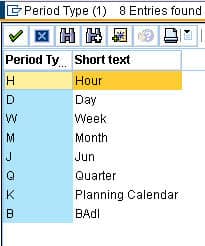
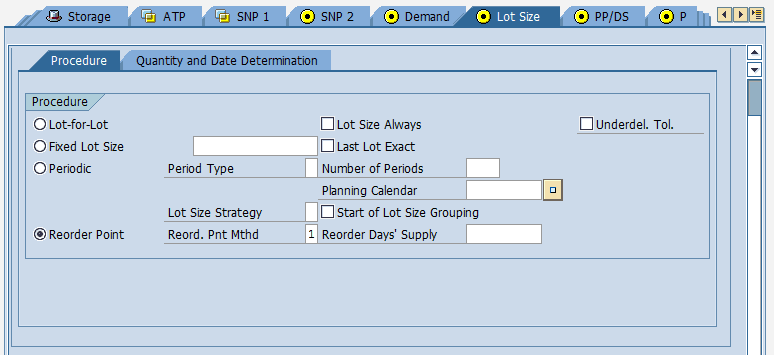 There is a lot to go over here, so we will focus on a few of the settings. First, you can choose Lot for Lot (the exact shortage amount is ordered), Fixed Lot Size, or by Period (a preset amount is used). Next to this field allows you to enter the lot size. By period groups together lots from different periods. If you select by the period, you can choose from the following:
 You can also choose Reorder Point. If you chose the Reorder Point, you have the following options.
 As you can see, each of these selections has further qualifications that you can add.
You can hard code safety stock, reorder point, max stock level, service level, and demand forecast error in the lower portion of the tab. Some of these form the inputs to creating a safety stock; others allow a full hard coding of safety stock.
The PP/DS Tab
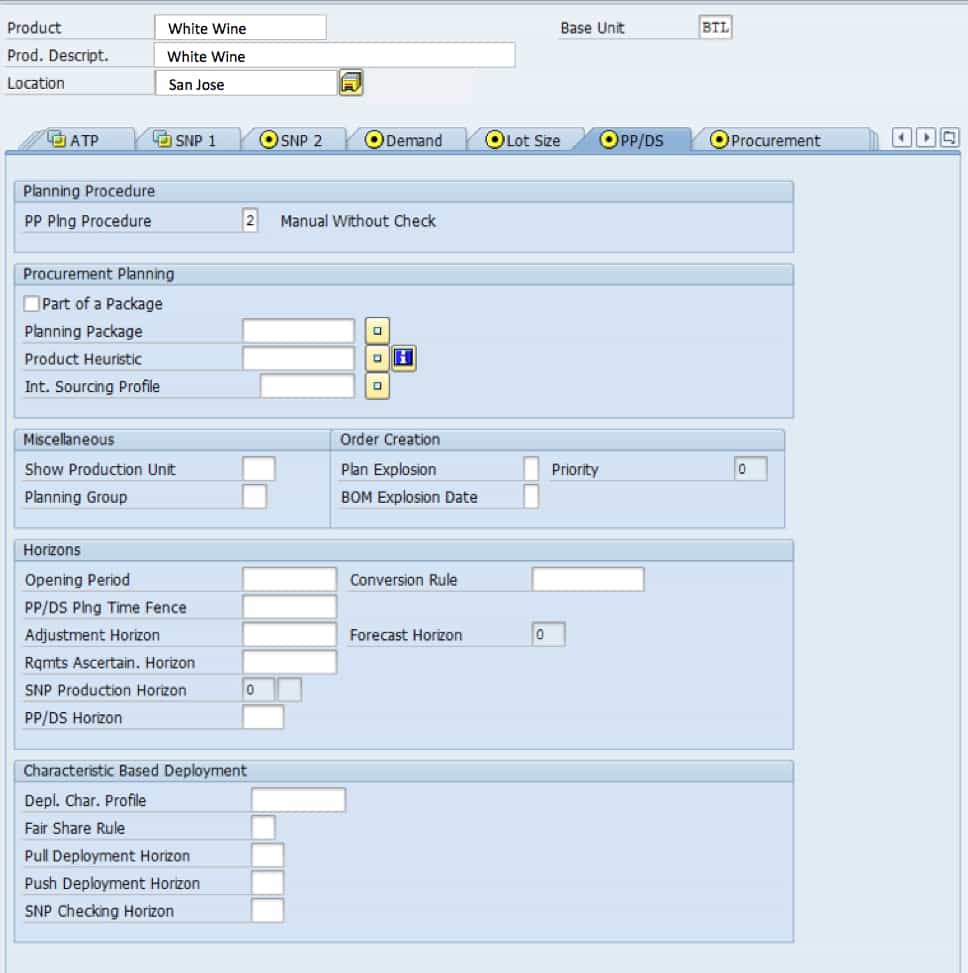
The first options are the planning procedure. Defines for each planning relevant event that can occur for a location product, which action is executed by Production Planning and Detailed Scheduling (PP/DS) in SAP APO if this event occurs.
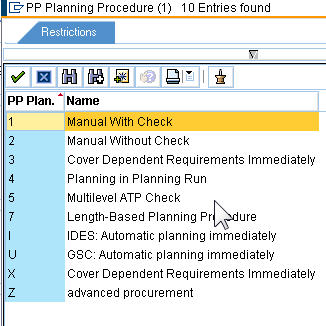
The planning package is an optional selection. In the case of a planning package for a supersession chain, this corresponds to the condition that the products in a supersession chain always have to be planned together in procurement planning.
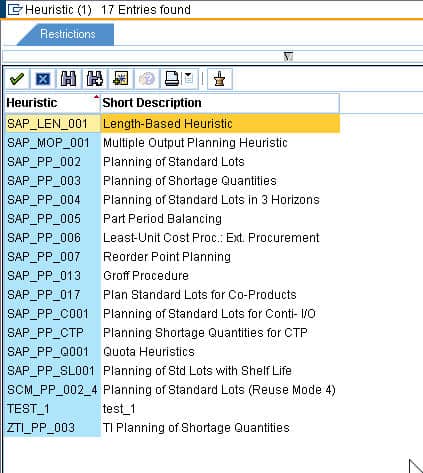
The next selection is the planning Heuristic or PP/DS Heuristic, which is to be used. There are many heuristics to chose from, each with their specific benefits. We will discuss these benefits in a separate post on PPDS heuristics.
 The planning group is simply a grouping of the product. It is also optional. However, a planning group can serve as an aggregation device. The planning group is also available for the propagation range as a selection criterion.
The lower portion of the tab is concerned with horizons. Essentially how far out the product should be planned? These horizons affect different modules such that a single product can have different horizons for different planning purposes. Most of these are values that you enter rather than selections. The exception being the SNP horizon.
Demand Tab
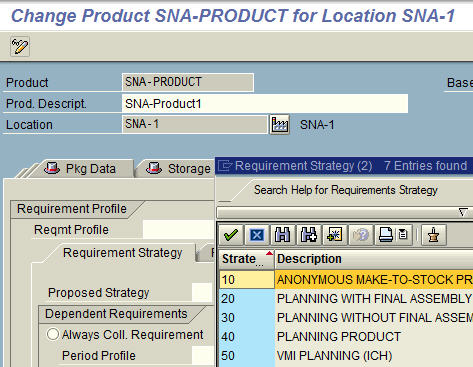
Requirements Strategies are set up in the IMG. See this article for details.
 The first sub-tab has to do with Dependent Requirements. If you select “Always coll requirements,” the system creates dependent and stock transfer requirements for the product in the make-to-stock segment.
And then whether the consumption should be forward or backward. Backward consumption means that sales orders, dependent requirements, or material reservations consume forecasted demand that lies within the consumption period and before the requirements date. Forward consumption does not allow this.
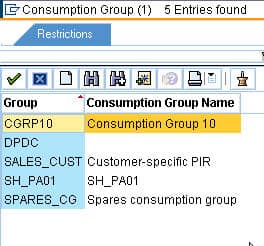
The consumptive group is in conjunction with descriptive characteristics to enable the forecast to be consumed by sales orders and related orders, at a more detailed level than the location product.
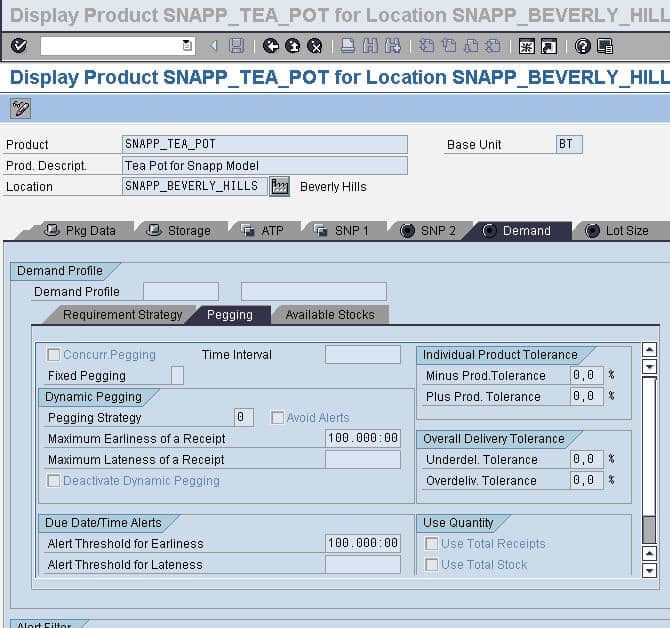
 Now we go to the pegging sub tab. The most critical setting is the Fixed Pegging option.
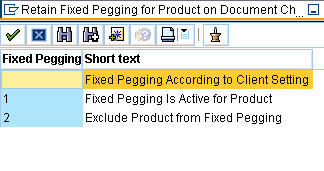
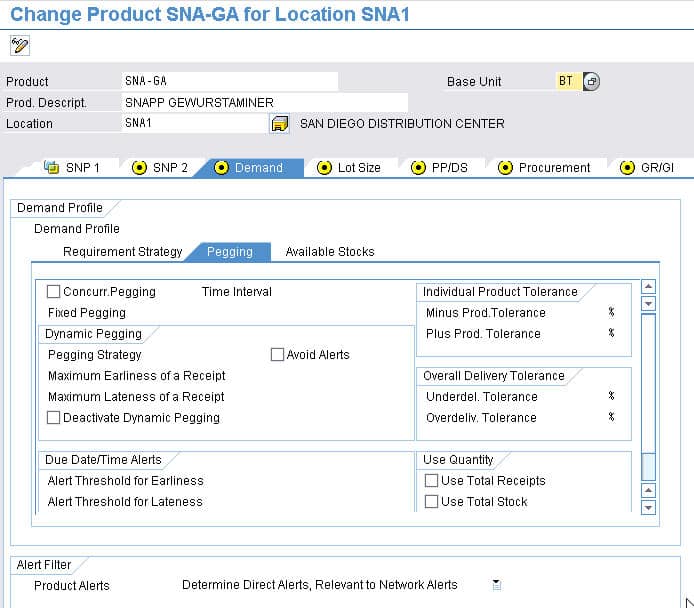 This determines whether the product has fixed pegging and whether the pegging from a production planning run is permanent.
The next selection is supposed to be set if you want to use dynamic pegging; that is, the capacity and inventory are available for pegging during every MRP run. The right side has to do with variances and is not used all that frequently. Below and towards the right, you can set if you want to use total receipts.
 If you set this indicator, the system assigns a receipt element to just one required element for the product during dynamic pegging. (The requirement element must thus completely consume the receipt element.)
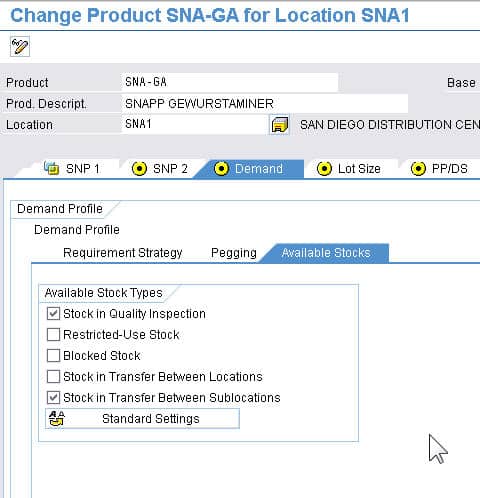
Use total stock. If you set this indicator, the system may assign a receipt element to just one required element for the product during dynamic pegging. (The requirement element must thus completely consume the receipt element.) The final sub-tab shows the stock types which should be considered available. That is, you set which of the types of stock you want to be taken into account.
 SNP 1 Tab
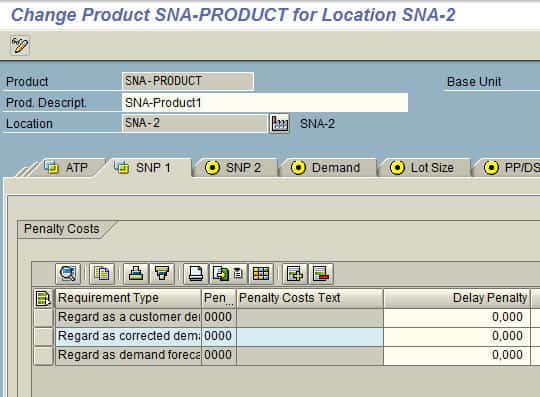
“Gives the penalty cost rate per day that is used by the SNP Optimizer to weight the delayed delivery of a product with regard to the planned delivery date. The penalty for delayed delivery of the requirement quantities is measured per base unit of quantity.)” – SAP Help
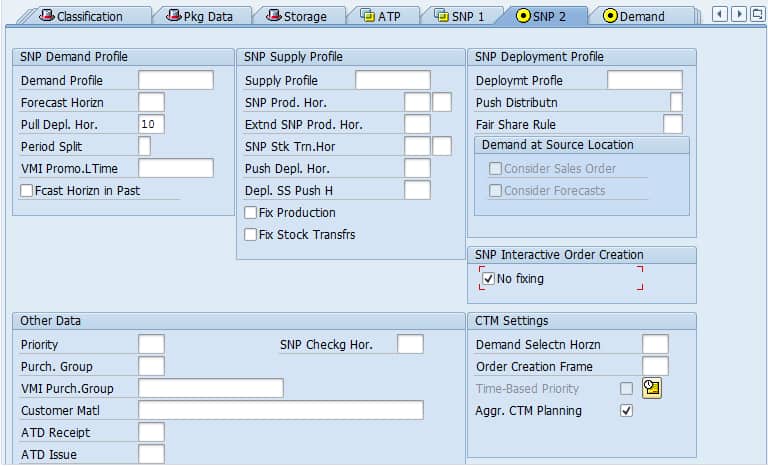
 SNP 2 Tab
 Procurement Tab
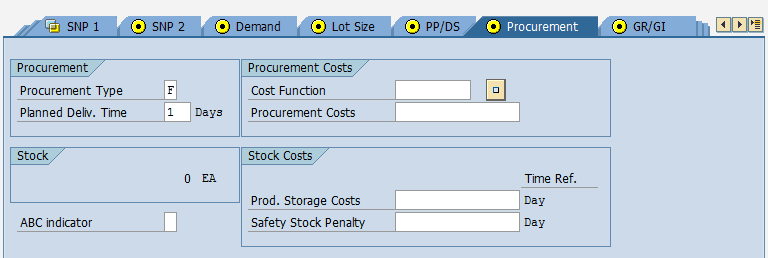
- Procurement Type: The options are external procurement, in-house production, external production or inhouse production, external procurement planning.
- Planned Delivery Time: Procurement Lead Time
- Cost Function: Used in optimization
- Procurement Costs: Also used in optimization
- Product Storage Costs: The cost to store per day
- Safety Stock Penalty:
Conclusion
Basically, these tabs are very powerful in controlling SNP and PPDS. Some controls, such as safety stock, have levers in both the Product Master and the heuristic (if the right heuristic is selected). Some of these settings will be CIFed over from ECC, but no all of them. Therefore, after the CIF is complete, it’s important to go through the product master with your client and make sure your settings are doing what you want them to in terms of output to the plan.