
How to Understand EWM Organizational Setup
Executive Summary
- The EWM Organizational Unit setup means performing an assignment to a supply chain unit.
- We cover the Storage Type and Storage Section and the Resource Type, a type of grouping.
- There are important steps in performing the EWM Organizational Unit setup.

Introduction: EWM Org Structure
In this post, we will begin at the high level regarding organizational units and move down to more detail. We will start at the Supply Chain Unit and end at the Bin. You will learn how to set up and configure each.
The Organization Unit Setup
To implement EWM, you need to set up the warehouse’s physical structure.
- Supply Chain Unit – (a supply chain unit is the SCM term for a Plant, Distribution Center, Customer, or Vendor): This holds information like country, region, and time zone. The first step is to create the location, then add to it with the Maintain Supply Chain Unit transaction.
 Then this screen.
Once the location is created, it will show up in the Maintain Supply Chain Unit transaction. However, a few things must be done before it can have a warehouse number assigned to it. Goto SPRO <p “>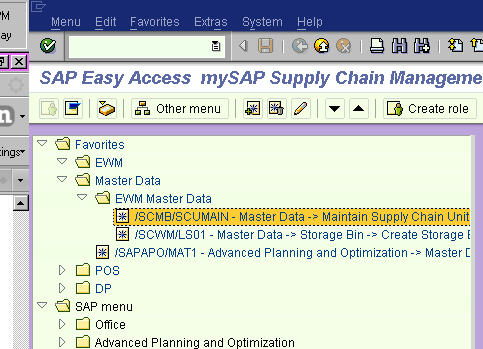 Next
Next 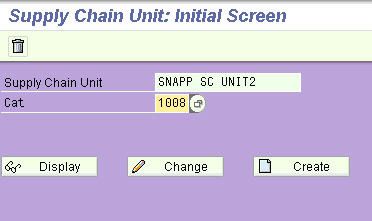 This will take us into the SCU main tabs. <p “>
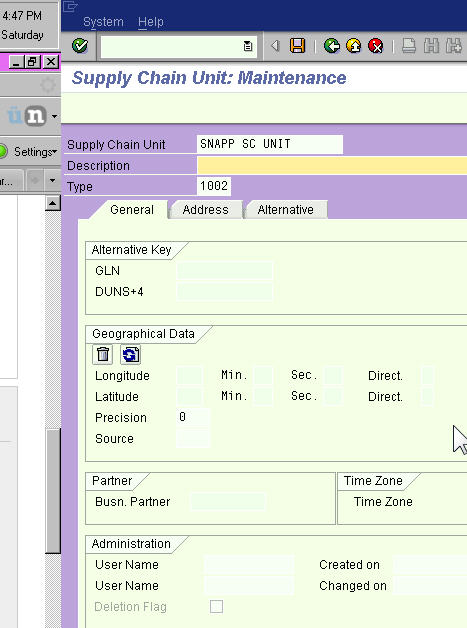 Note: If you want to add warehouse numbers, you must add to the business attribute of a warehouse to the Supply Chain Unit. <p “>
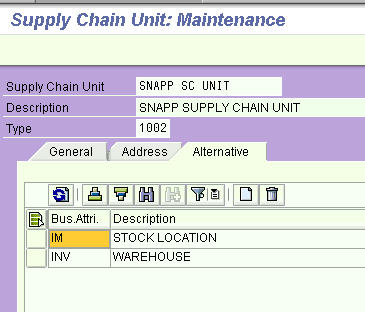 This allows any SCU type to have a warehouse allocated to it.
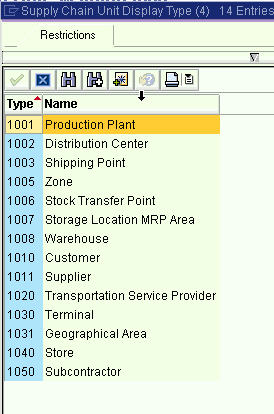 The next step is to create warehouse numbers. Be careful, They must have a “unit of weight, or they won’t interoperate with storage bin creation.”
Creating Warehouse Numbers
- Warehouse Number (an entire complex can be managed with one number); a warehouse number must be created inside WM to represent the EWM warehouse. (however, warehouses must be operated by either WM or EWM, but never both – and acts as a bridge between the ERP system and the EWM warehouse.) This is the highest level organizational unit in EWM. They are created and then assigned to a Supply Chain Unit. (we will not show that process here).
- In SAP ERP, the plant, storage location, and storage type are combined to determine the EWM warehouse.
- You can only assign one warehouse number to a Supply Chain Unit. Now we will assign SNA1 to SNAPP SC UNIT2. There is a bizarre error that one can get, which is that the
- Supply Chain Unit must have “business characteristics.”
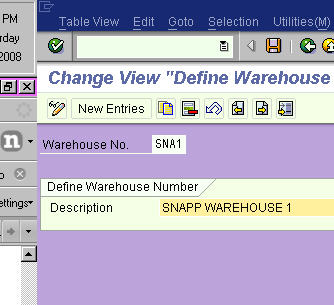 Define Warehouse Number Control.
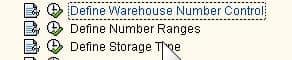 Next, it will take you to this screen.
 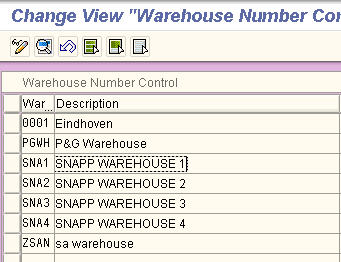 However, You need to double click on the warehouse number control to go into it to assign units of measure. <p “>
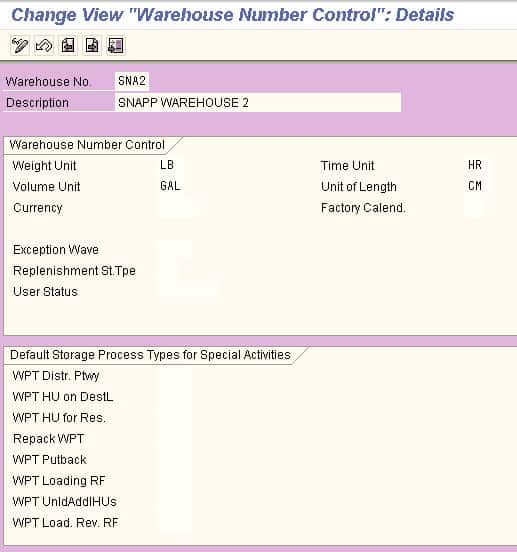 Now, you will want to assign the warehouse number to the SCU.
  Select the SCU and a Custodian, and then select save.
 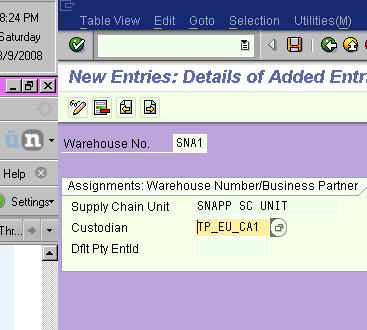 Assignment to a Supply Chain Unit
After the numbers are created, it’s time to assign to a Supply Chain Unit. Warehouse numbers can be assigned and be unassigned to a Supply Chain Unit.
Storage type (defines physical storage areas – one of the more misnamed of the EWM org units.) These are defined per warehouse number. They are used to indicate the relative size of bin and or actual bin dimensions. Storage types include the following. Each of these types can be further modified.
- High Rack
- Fixed Bin
- Bulk Storage Type
You must first define a Storage Type before you establish a Storage Bin.
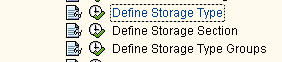 The Storage Type represents a physical storage area within the warehouse with specific physical and spatial characteristics.
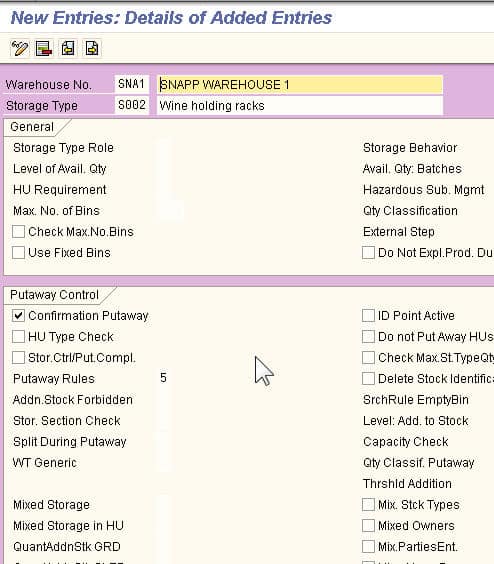 The Storage Section is the physical subdivision of a storage type. (each storage type is divided into storage section) This joins storage bins, such as large parts or large parts. It is the essential subdivision of a storage type that can be found in SPRO
Warehouse Type
This takes you to the next area. We have created one Warehouse type but applied it to our four different warehouse numbers.
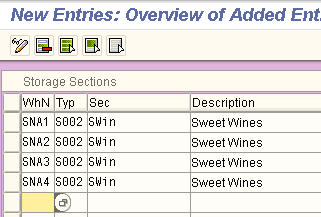 Storage bin (Each storage type and section consists of storage compartments called bins) bins in more than one storage type can exist. A bin is, in a way, the lowest level of the organizational hierarchy; it is also the smallest spatial unit in the warehouse. It is the exact position of the stored product. A bin has a coordinate. 05-06-10 would be storage bin aisle 5, stack 6, level 10. Storage bins are not organizational units.
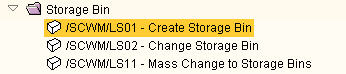 Next, you will be taken to this screen:
Now that the units have been assigned to the storage bin, the next step is shown below: Next, you will be taken to this screen.
Here, you can do things like set the maximum weight.  This takes you to this screen. <p “>
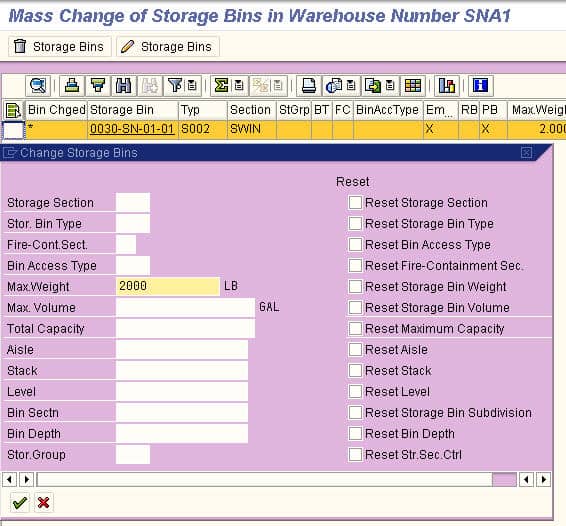 This allows you to allocate both a Storage Type and a Storage Section to the Bin.
The Storage Type and Storage Section
The Storage Type and Storage Section are assigned to the bin. They are also higher level org structures in EWM. That is, they must be defined before the definition of Storage Bin.
- Quant (Used for inventory management of a product in a storage bin – represents a quantity of a product assigned to a storage bin.., i.e., a quantity.) Negative quants are deleted during a goods receipt posting. Quant (i.e., an amount of material…Used for inventory management of a product in a storage bin – represents a quantity of a product assigned to a storage bin). In essence, the Quant is what is required for a bin.
- Activity area (A logical grouping of storage bins. It can refer to a storage bin.)
- Bins. However, a Storage Bin is not an organizational unit. Bins also have a bin access type that controls how resources access the bin.
- Resources. This represents a person or equipment that can do work in a warehouse. Resources are assigned to warehouse numbers. Below we have the resources created and assigned to resources groups (which we also created earlier)
 This takes you in here. Notice how the resources are created per warehouse number.
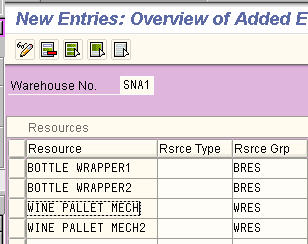 A resource group is used to group resources for queue assignment purposes.
The next step is to add users to the resources: 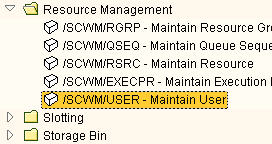
Which takes you to this screen. <p “>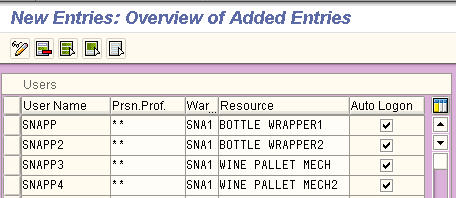 Here, you can see we have added a user for every resource in warehouse number 1 (aka SNA1). There is an issue, however, with configuring this area. The error “Specify a key within the Work Area” is common. This does not allow Resources to be assigned to Warehouse Numbers. Changing resources is a complete mess.
Currently, SNA1 and SNA4 are fine, but SNA2 and SNA3 get this message. This is an open issue, and we will have to move on.
The Resource Type as a Grouping
A resource type is a grouping of resources with similar technical or physical qualifications.
- Packing specifications (used to define the packing requirements for products to be put away or transported). A big part of the packing specification is whether an item is palletized and the palletized quantity. A pallet size of 50 means that an order of 100 units would require two pallets. Packing specs are used in EWM, SNC, and SPP. The packaging specs use the iPPE database engine to store the specs. In EWM, it’s used in:
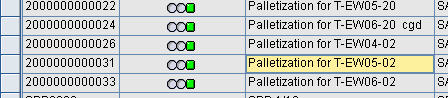
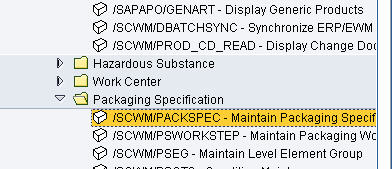 You have to select the green checkbox to bring up the current packing specs.
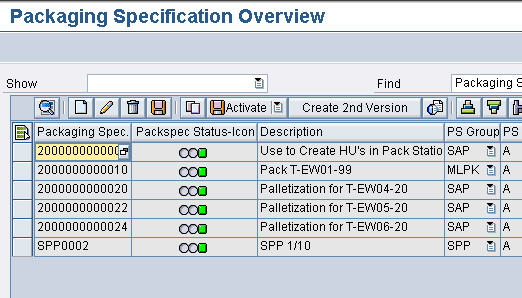 Now we want to add a new line item and then double-click it to be taken into the detail.
 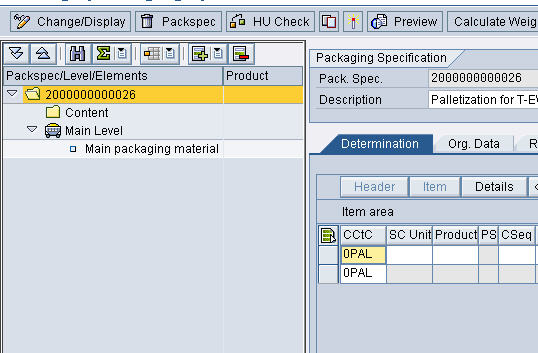 Now, we select the primary packaging material to open more data fields.
 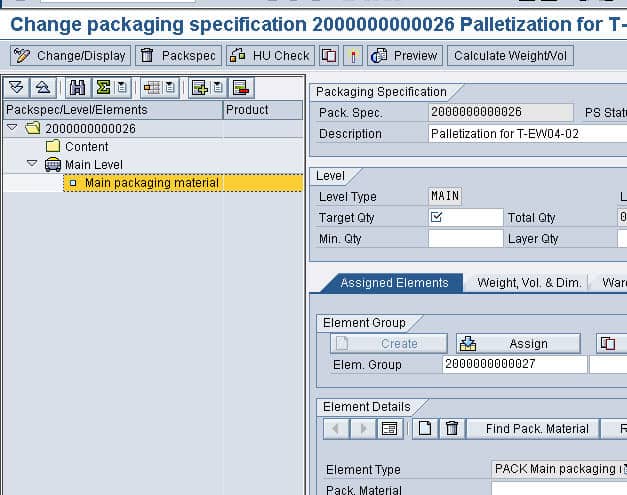 Now we want to add detail to the product. You can add a product using the drop down or by right mouse clicking on the content folder.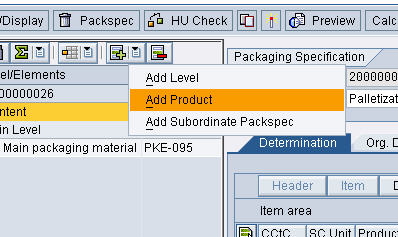

- Automatic packing in inbound delivery and goods receipt processing
- Packaging material determination during warehouse order creation
- Packaging material determination during de-consolidation
- Slotting
- Internal storage processes (parallelization, UOM)
Handling units, residents in the warehouse product master. The process of creating a handling unit is called packing.
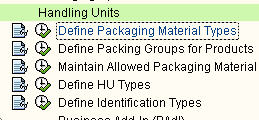 This takes you to the main screen.
 We are setting up packing materials for bottles.
Shared Areas Between WM and EWM
Many items between WM and EWM are shared. For instance, the handling unit is treated identically between the systems. It does the following:
- Describes what is packed
- Has a history
- Have physical properties (volume, weight, quantities)
- Simplifies the supply chain
- Are known for all logistics operations
- Can be scanned
- Is on the Inbound Delivery/ASN (connects to the Transfer Order Putaway and thus the Goods Receipt Confirmation)
Problem and Error
Even after all of this was accomplished, we still received the following error when we try to create an order for the product-location of SNA-RE for SNA4.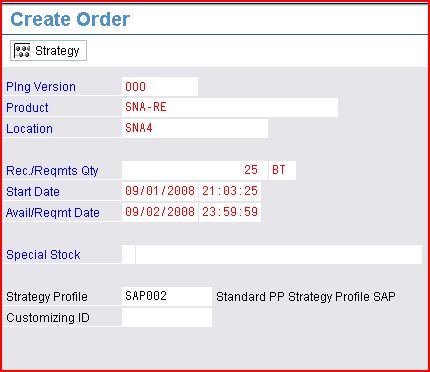
 However, when we check the Product Master for this location, we show that it exists.
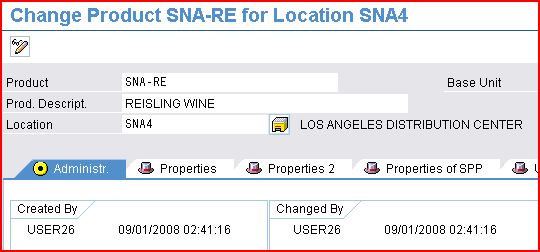 So the question is why is it doing that? What else needs to be set up to get the product location to exist for orders? It may come down to seeing what is different. This is because the product location SNA2 and SNA-GA exists. However, the other product locations that we created do not exist.
Steps in the Problem Analysis
- First, we went to see if the planning version 000 was assigned to each location (it was).
- We checked each location to see how it was different from SNA2. Some differences, such as the ATP tab, were filled in on SNA2, where it was not on SNA4. However, the differences were minor. When we rechecked SNA4 after making the changes, it still did not fix the problem. However, another problem surfaces. Why does the product location exist for SNA-GA and SNA2, but not SNA-RE (the other material) and SNA2? Next, we went to go and check the materials. The differences were (material SNA-GA had been changed by a different user. It belonged to a material group, whereas SNA-RE did not. There was a check horizon of “1” on SNA-GA and not one on SNA-RE, there was a consumptive mode on SNA-GA, and not on SNA-RE, there was a procurement type of “F” on SNA-GA, but “R” on SNA-RE.) Everything was normalized to SNA-GA. This did not yield anything and did not make SNA-RE and SNA2 valid. We also checked the global settings between the two materials, also to no avail.
- We then went into SPRO into the master data area under APO and EWM.
However, the actual problem is one of confusion. It is not that the product location does not exist, but there is no inventory in that location when an order can be placed. Inventory only exists in SNA2, so it is only showing as valid to pull inventory from this location.
Quick Notes
An organizational unit is the Supply Chain Unit for an EWM Warehouse Number The organizational unit representing the subdivision of a storage type is storage section Goods arrive and leave the warehouse through doors A work center in EWM is represented by a storage type. It is a resource where you can perform.
- Packing
- De-consolidation
- Counting
- Quality Inspection
The work center is assigned in the packaging specification. Every work center is assigned to a warehouse number. A work center is represented in EWM as a storage type. To provide for efficient putaway and to pick the warehouse, EWM provides a slotting and rearrangement process in which putaway storage bins can be assigned based on demand and forecast data related to the products stored in the warehouse. Inbound shipments can be managed using the yard management function, EWM supports packaging and repackaging in the goods receipt process as well as the goods issue process.
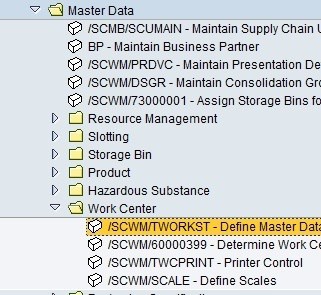
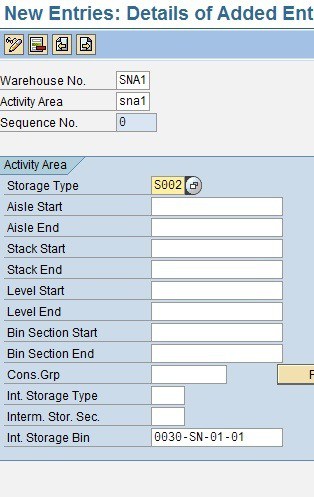
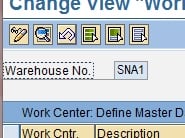 An activity area defines storage bins. They are logical groups of bins used in different activities like picking, put-away, and physical inventory. They enable sorting sequences for bins, and they influence queue determination. An activity area consists of one or more storage bins. You can define the assigned storage bins using the following:
- Aisle
- Stack
- Level
- Bin subdivision
- Depth
- Information about the storage type
- Any assigned de-consolidation groups
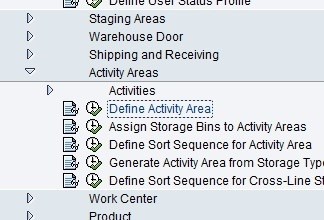 There is little to set up in this area of SPRO. However, after the area is defined, it needs to be assigned to storage bins.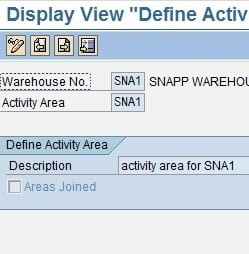
 References
EWM 100 Training Manual